ACF: Some tips to make editors’ lives easier
If you have read my other posts, you may already know that ACF PRO is my default choice and I build WordPress websites mainly using on Gutenberg + ACF approach. This is a great solution that combines optimal development time with ease of editing.
However, editing isn't necessarily easy if you rely solely on default settings, because of it, I would like to show you as briefly as possible how you can easily make content editing more enjoyable, also for Flexible Content approach.
Let's create a nicely editable group with repeater field
To show you all the useful options, let's assume we need to create a block/section with ACF fields, in which we need to use repeater fields so that the user can add multiple elements.
These tips will also work for regular fields, not just those added within repeaters or groups, but in the case of a repeater, their usefulness is easiest to show.
On the screenshot below you can see a base version of ACF Field Group applied to Gutenberg block, I didn't change any of settings connected with layout or something.
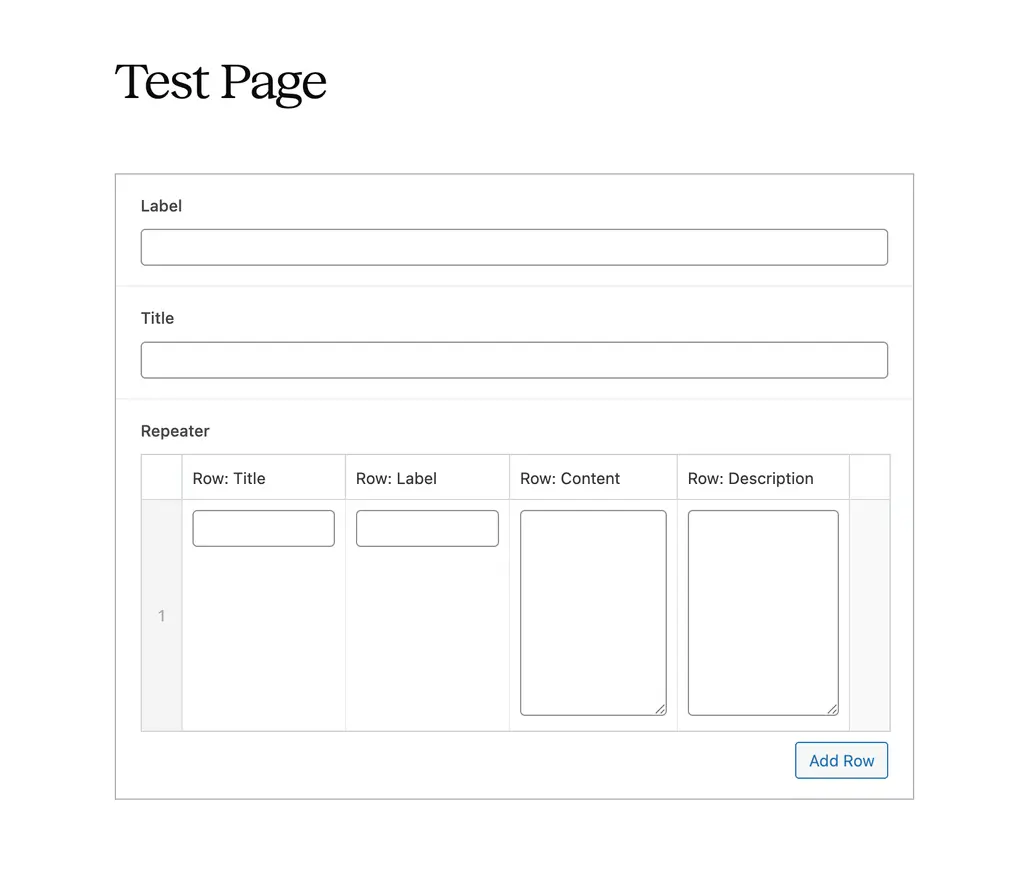
In theory, this doesn't look bad. The default layout setting for the repeater is "Table," so all fields are in a line, but they're squeezed together. Additionally, the fields for the general label and title also take up an unnecessarily large amount of height.
Width and layout settings
To correct this, we can use two basic options: setting the field width and changing the repeater field layout setting to "Block". Each field contains a setting called "Presentation," and at the very bottom of the settings, you'll find a setting called "Wrapper Attributes," which allows you to define the width of the field. The layout option for repeater field you can find on the bottom of the default "General" tab settings for repeater field.
If we use 50% width for all fields, also apart from the repeater, and additionally change the layout of the repeater field to "Block", the entire group will look as below in page editor.
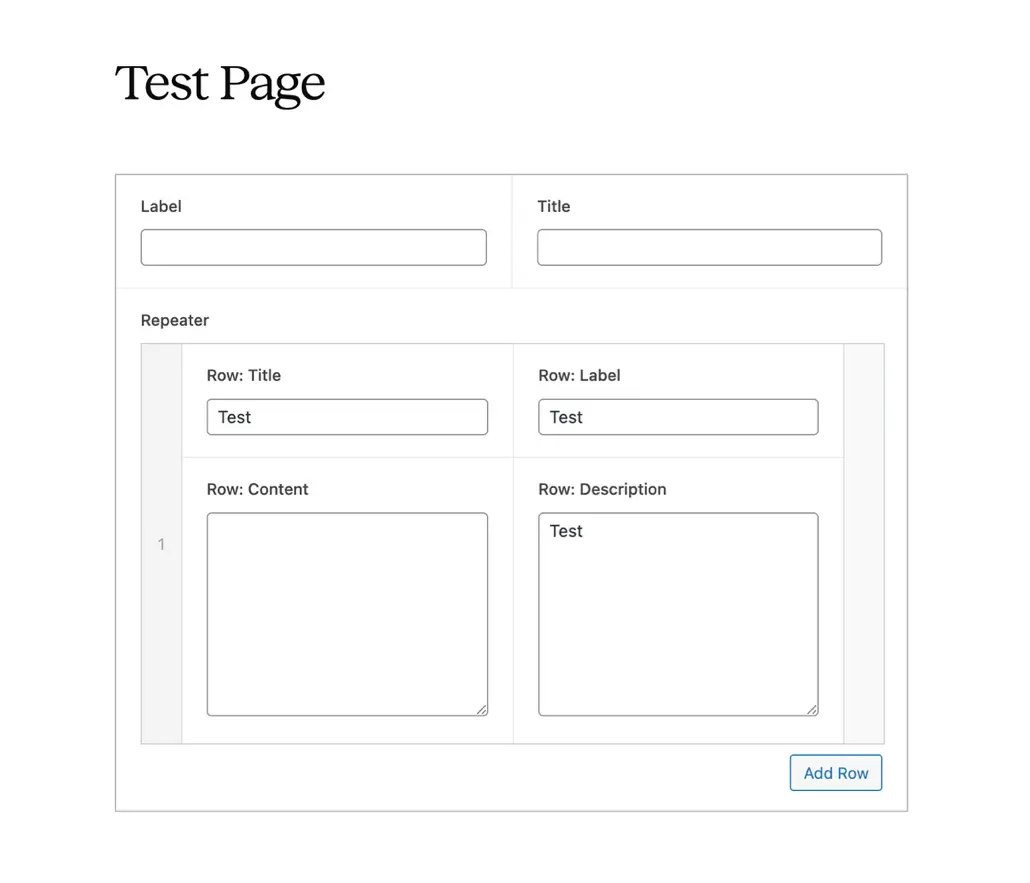
Better, but not great. If the editor add a lot of repeater rows, then the editing of the whole group may be still not perfect experience. What more can we do it?
Collapsing, textarea height, image size
To make it more friendly for editors we can use a additional settings provided by ACF. Firstly, we can set the "Collapsed" value inside the "Presentation" settings tab for repeater field. Thanks to this editor will be able to simply collapse the entire row leaving only the selected field visible.
Secondly, we can set the textarea height, by default each ACF textarea field in editor have 8 rows. It's good for a long content, but in most of cases we don't use textarea for very long text (we have wysiwyg field for it). So, we can decrease the height, for example, to only 4 rows.
In the video below you can see how to set these issues and how it affects the appearance of the block in editing.
You must admit that applying these settings significantly improves the readability of editing the entire group of fields. With many rows, the editor can easily get lost in what he is editing, and the entire area of fields has to be scrolled endlessly. Thanks to these simple settings, we have made editing a given group of fields much more pleasant and readable.
What we can do next?
Of course, what I have shown are not all the settings that improve editing that we can apply to a group of fields. A lot depends on what type of fields we need to use.
- In the case of images, it is very useful to select the size of the image presented in the edit, often the smallest available is the best choice so that the field does not take up too much.
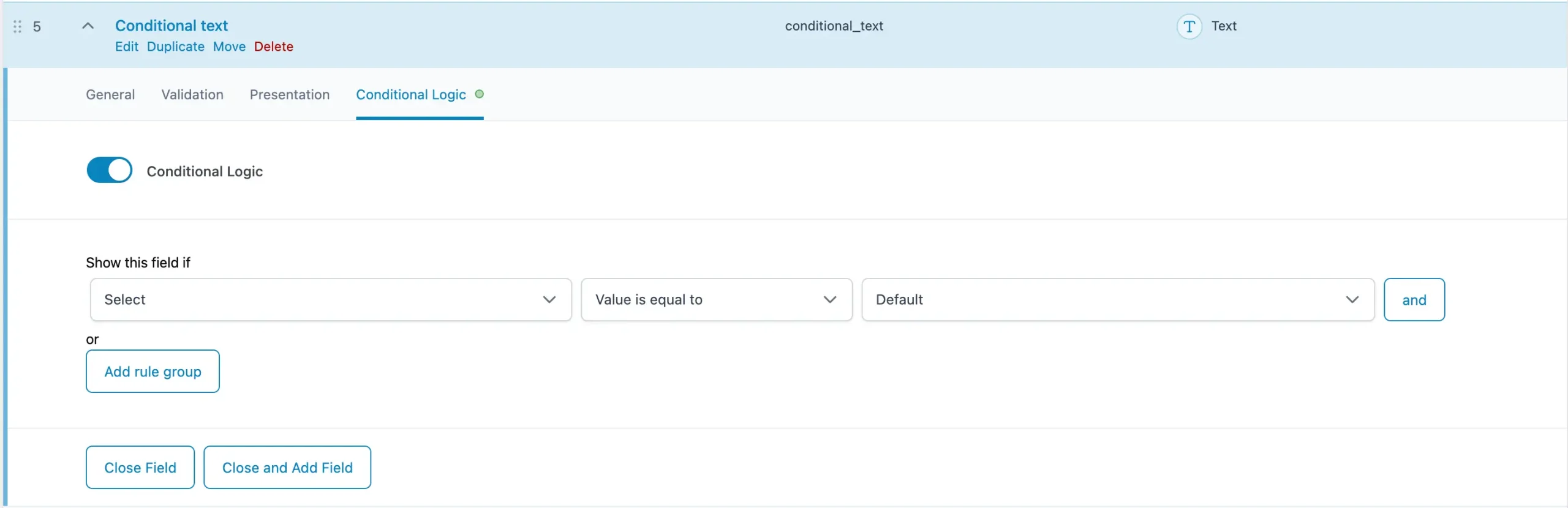
- A great solution is to also use the "Conditional Logic" tab - it is available for each field and allows you to set whether the field should be visible in editing based on a specific dependency. Particularly useful for a section in which we have several variants, e.g. slides, thanks to which the editor will not be surprised why certain fields are there if they do not match the selected type.
- Next very useful thing is the "Instructions" field inside the "Presentation" tab for ACF field - we can leave short instructions for editors there, which may make it easier for them to understand how to use a given field.
- Related to the above - ACF also offers special field types that can significantly improve your editing experience. These fields are: Accordion, Tab, Group and Message. Which allow you to divide groups into several tabs, collapse/expand them also outside the Repeater field, and leave instructions to the editor that are not only assigned to a specific field.
There are even more possibilities and as a developers we should use them
The things described in this article will significantly improve how the end user can use ACF-based section or block editing. Of course, this is not all we can do, also for ourselves as developers. Another great solution is to use Clone Field, which allows you to use the same group of fields without having to build its field structure each time. The perfect solution for reusable components. ACF fields are also a great solution for defining global editable elements using the ACF Options Page.
For me, utilizing ACF's capabilities to streamline the editing process is crucial and a developer's responsibility. If we recommend a CMS to a client, we must ensure their experience using it is the best possible.
Interested in build something great together in this approach? Please contact me – I'd love to hear about your needs.